
What a CAMO office runs on
Plan what is coming, prove each item is compliant, carry the work through to a release, and keep the record that proves all three — with the people who sign for it. AviCamo is built around that order.
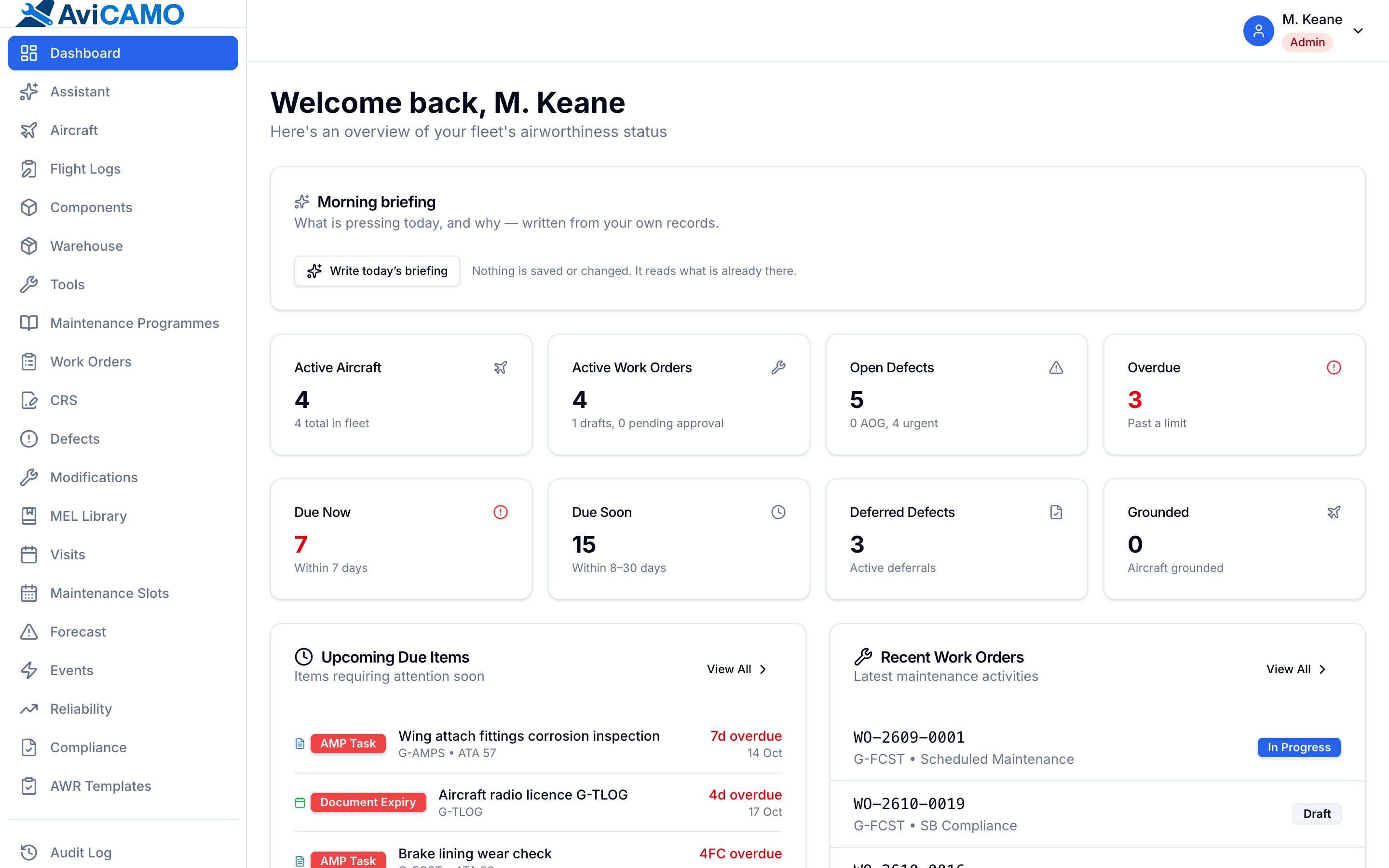
Planning
Knowing what is coming before it arrives.
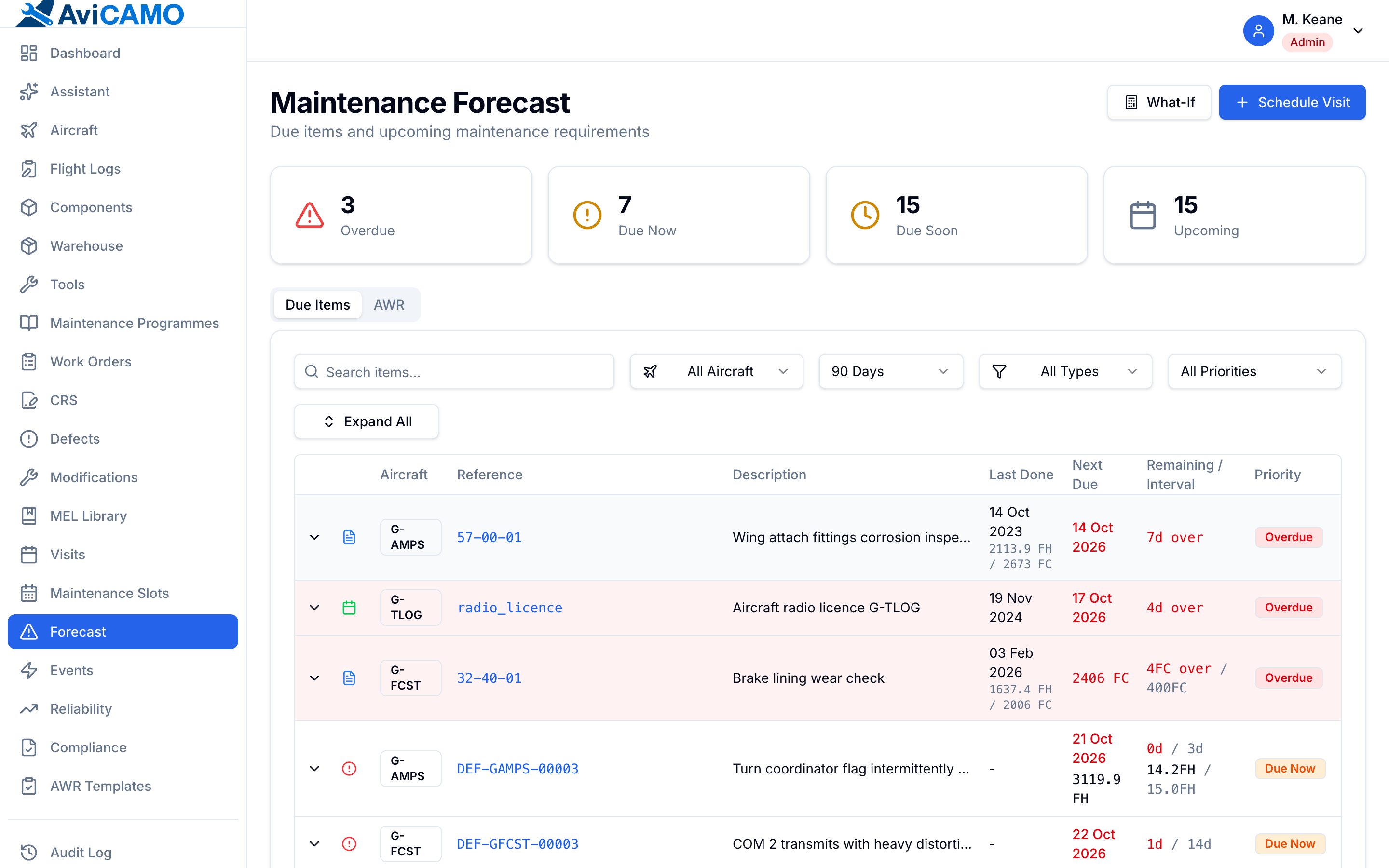
Forecast
One list across the fleet, ordered by margin remaining.
- Hours, cycles and calendar in the same list
- Recalculated nightly and on every flight log, compliance record, programme revision or component swap
- What-if utilisation to see where the next months land
Maintenance programmes
The AMP authored once, tracked per aircraft.
- Calendar, hours and cycles intervals on one task — whichever comes first
- Versioned revisions, with changes proposed and reviewed before activation
- Each aircraft records the revision it flies under
Programme approval
The approval chain is part of the regulatory record.
- Submit, review and approve internally
- Record the authority’s approval or refusal
- Make it effective — every step with who and when
Visits and work packages
Group what is due into a visit and check it fits.
- Packages checked against shop capacity and slots
- Visit readiness at a glance
- Snapshots keep the agreed plan readable after it changes
Reliability monitoring
Defect rates by ATA chapter, computed monthly.
- Trends and alert thresholds
- Feeds the AMP effectiveness review with your own data
Compliance
Proving the aircraft is legal, item by item.
ADs and service bulletins
A mandatory-item register resolved per aircraft.
- Applicability by serial range, model and modification state
- Repetitive rules, terminating actions, AMOCs and supersedures
- Compliance rolls up into fleet impact automatically
New-AD feed
New directives found for you every night.
- EASA Safety Publications, FAA ADs and manufacturer bulletin lists
- Labelled as a product match or a possible match
- Tracked, not applicable or dismissed — with a reason, audited
- Plain matching, no AI involved
Modifications and STCs
What is embodied on each aircraft, and on what basis.
- Evaluation, approval basis and embodiment per aircraft
- Linked ADs, SBs, documents and work orders
- Modification state feeds AD applicability
Components and life limits
Serialised parts whose time follows them.
- Full installation history across airframes
- Life limits run on accumulated hours and cycles
- Usage synced nightly from the aircraft
- Overhaul resets, storage and preservation intervals
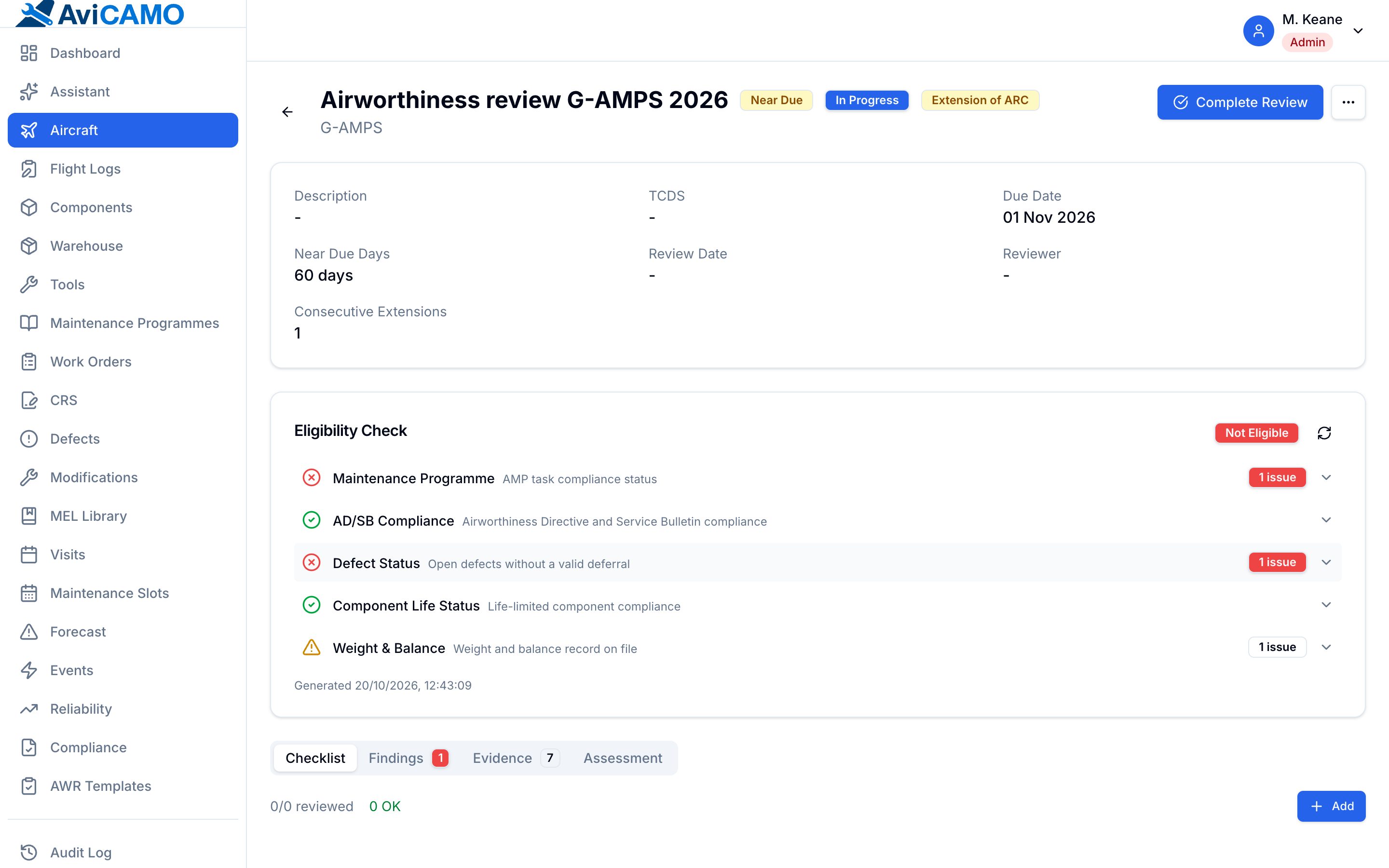
Airworthiness reviews
The ARC is another deadline with a margin.
- Review checklist, evidence and findings from templates
- Eligibility shown before the certificate is completed
- Expiry surfaces in the forecast
Execution
Turning a due item into a signed release.
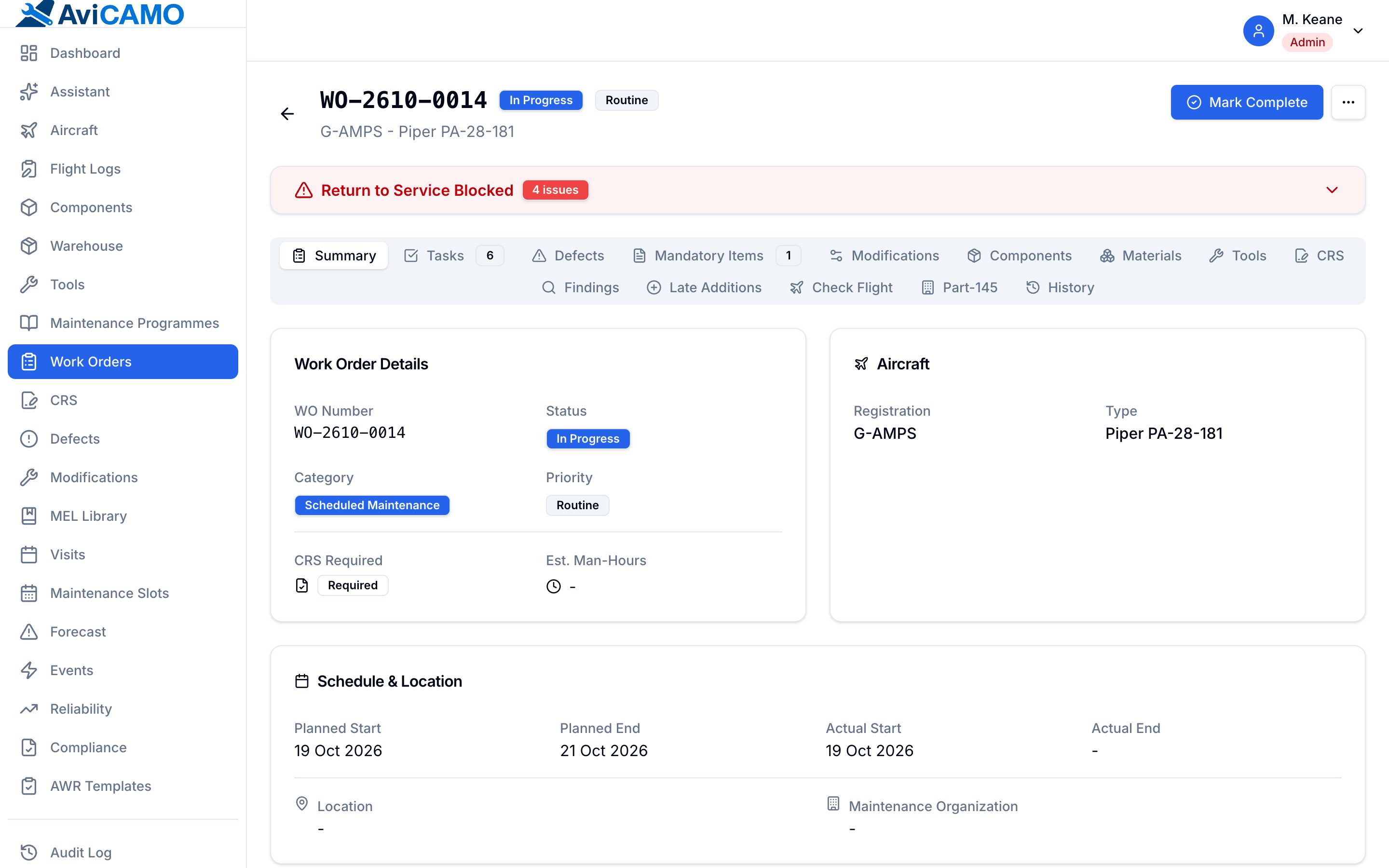
Work orders
Everything for the job on one order.
- Tasks, component actions, materials, tools, findings, late additions
- Execute, inspect and certify each task
- Will not close over open work
Release to service
CRS records with the work behind them.
- Certifying staff, reference and date of issue
- Revocation recorded with its own history
- Releases from an external Part-145 recorded the same way
Defects and deferrals
Deferrals that expire on their own schedule.
- Defer against a MEL item with its category and interval
- Extend or cancel, with a timeline of each change
- Defect status moves when the deferral expires
MEL library
Your MEL held once, picked from when deferring.
- Category and rectification interval per item
- The interval comes from the MEL, not memory
Stores and tooling
Parts and tools tracked like any other deadline.
- Incoming inspection, condition changes, warehouse labels
- Install straight from stock onto an aircraft
- Tool calibration due checked daily
Records
The part an auditor reads.
Flight and technical log
The counters everything else is computed from.
- Per flight or grouped by day
- Defects raised straight from the log
- Stored in UTC, so 23:40 local stays on the right day
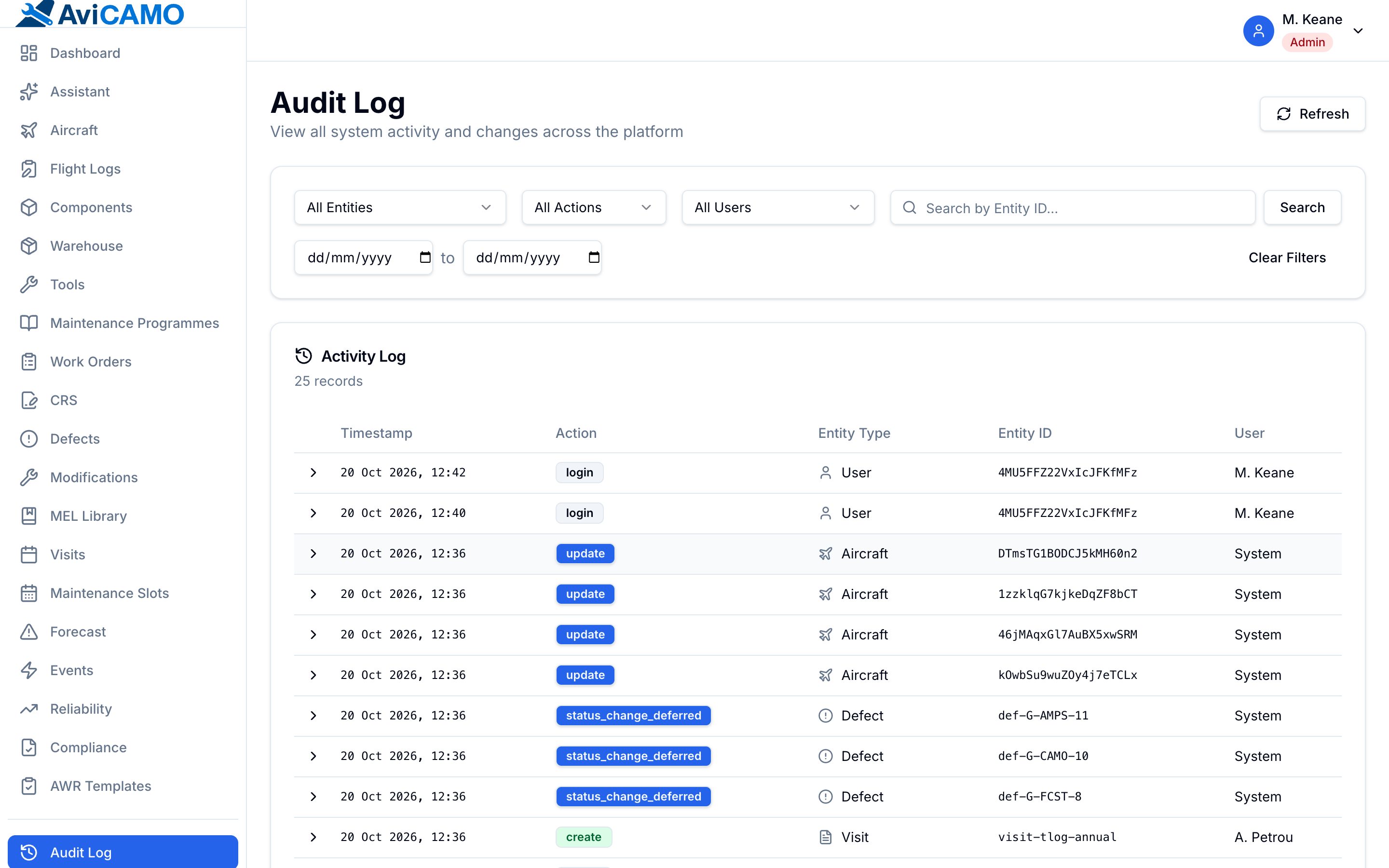
Audit log
Who changed what, when, and from what.
- Append-only, written by the server
- Not writable by any user, whatever the role
- Searchable in the app and through the connector
Documents and weight & balance
Paperwork held against the record it belongs to.
- Expiry tracked where the document has one
- Versioned weight and balance records
Occurrences and damage
What happened to the airframe, kept with it.
- Hard landings, bird strikes and other events
- Events can trigger the inspections they call for
- Dent and buckle chart per aircraft
Aircraft history
The record survives every change of hands.
- Counter baselines and audited corrections
- Previous registrations and transfer out
- Hours as decimal or HH:MM, stored at full precision
People
Who may see and sign what.
Roles and permissions
Eleven roles, enforced in the database rules.
- CAMO manager, quality, engineer, planner, inspector, stores, pilot, auditor and more
- Permission matrix by module and action
- Per-user overrides
Aircraft assignment
People see the aircraft they work on.
- Screens, assistant and connector all respect it
- Qualifications and signature types per person
And a layer over all of it
Optional, and invisible when switched off. What it removes is transcription — the slow part, where the errors come from.
Airworthiness directives
Upload an AD or SB and the register entry is drafted — dates, requirement, ATA chapter, interval — with the quoted sentence and page beside each value. Missing fields are named, not left blank.
Won’t: It does not scope the item against your fleet. Applicability is your judgement.
Revisions of a directive
Compares the old and new issue section by section, marks each change editorial, substantive or critical, and says which aircraft with recorded compliance should be re-checked.
Won’t: A prompt to re-check, never a determination. Compliance against the new issue is still signed by a person.
Maintenance programmes
Reads an AMP or manual chapter and drafts each task — code, interval, tolerance, ATA chapter, CRS and inspection needs — with the interval shown first on every row.
Won’t: Arrives as a checklist with nothing written. Sections it could not parse are listed.
Scanned logbooks
Handwritten, decades-old pages in, draft component records out — hours, cycles, overhaul dates and position as the page states them, never computed.
Won’t: Each entry says how legible it was. Unreadable ones come first and are not pre-selected.
Defects and shop findings
Suggests ATA chapter, priority and classification from the description while the form is open, with reasoning shown and the follow-up task drafted.
Won’t: It flags when operator approval is needed but never answers the CAMO approval question.
Airworthiness reviews
Reads the checklist, findings, evidence, open defects and overdue items, and lists what blocks a certificate versus what just needs recording. Drafts the review statement.
Won’t: It is not asked whether the ARC can be issued. The authorised reviewer signs.
Reliability reviews
Holds the period’s defects against task intervals and drafts the AMP effectiveness review, including which intervals the numbers would support changing.
Won’t: Proposals only. Interval changes go through the programme’s own approval path.
The morning briefing
What is pressing today and why — overdue, due soon, open defects, expiring deferrals, upcoming reviews — each linked to its record.
Won’t: Written when you ask. Nothing in AviCamo calls a model on a schedule.
The fleet assistant
Plain-language questions answered from your records, with each lookup shown as it runs so the sources are visible.
Won’t: It sees exactly what you see, and says “none that you can see” rather than “none exist”.
- It drafts. You sign.
- Nothing here writes to a record on its own. Every suggestion is shown as a draft for a person to apply, edit or discard, and the conclusions that carry legal weight — whether an ARC can be issued, whether a release is valid — are never asked of a model at all.
- Every draft is traceable
- A draft that becomes a record carries how it was produced: the model, the version of the instruction it was given, a checksum of the exact document it read, the passages it quoted and who accepted it. Years later, “where did this date come from” has an answer better than “the computer filled it in”. The assistant’s answers are not records and are not stored — asking a question changes nothing.
- Off by default, and genuinely off
- The assistance layer is optional. An operator who does not enable it sees no AI anywhere in the product — not a disabled button, not a greyed menu — and every other part of AviCamo works exactly as it does now.
Connect your own Claude account
AviCamo publishes a Model Context Protocol server, so you can ask about your fleet from the Claude app you already use.
- Your permissions, unchanged
- A connector token carries no authority of its own. It answers with exactly what its owner could see in the app — same role, same aircraft assignments — and the role is read fresh on every request, so demoting someone revokes every token they hold at once.
- Read-only
- Fourteen tools, all of them reads: resolve a registration, pull an aircraft’s airworthiness status, list what is due, open a defect, a work order or a mandatory item, search the audit log. Nothing a connector can do changes a record.
- Revocable, and visible
- Add AviCamo as a connector and sign in with your normal account — an OAuth consent screen, no key to paste. Connected apps and personal tokens are listed and revoked from your own settings, tokens expire on a date you set, and only a hash is stored — a leaked token is revoked in one click rather than discovered in a log.
The connector speaks the Model Context Protocol, so it works with any client that does. Nothing about it is specific to one vendor, and nothing about the rest of AviCamo depends on it being switched on.